Branding spec · what your artwork has to fit
Printed menu
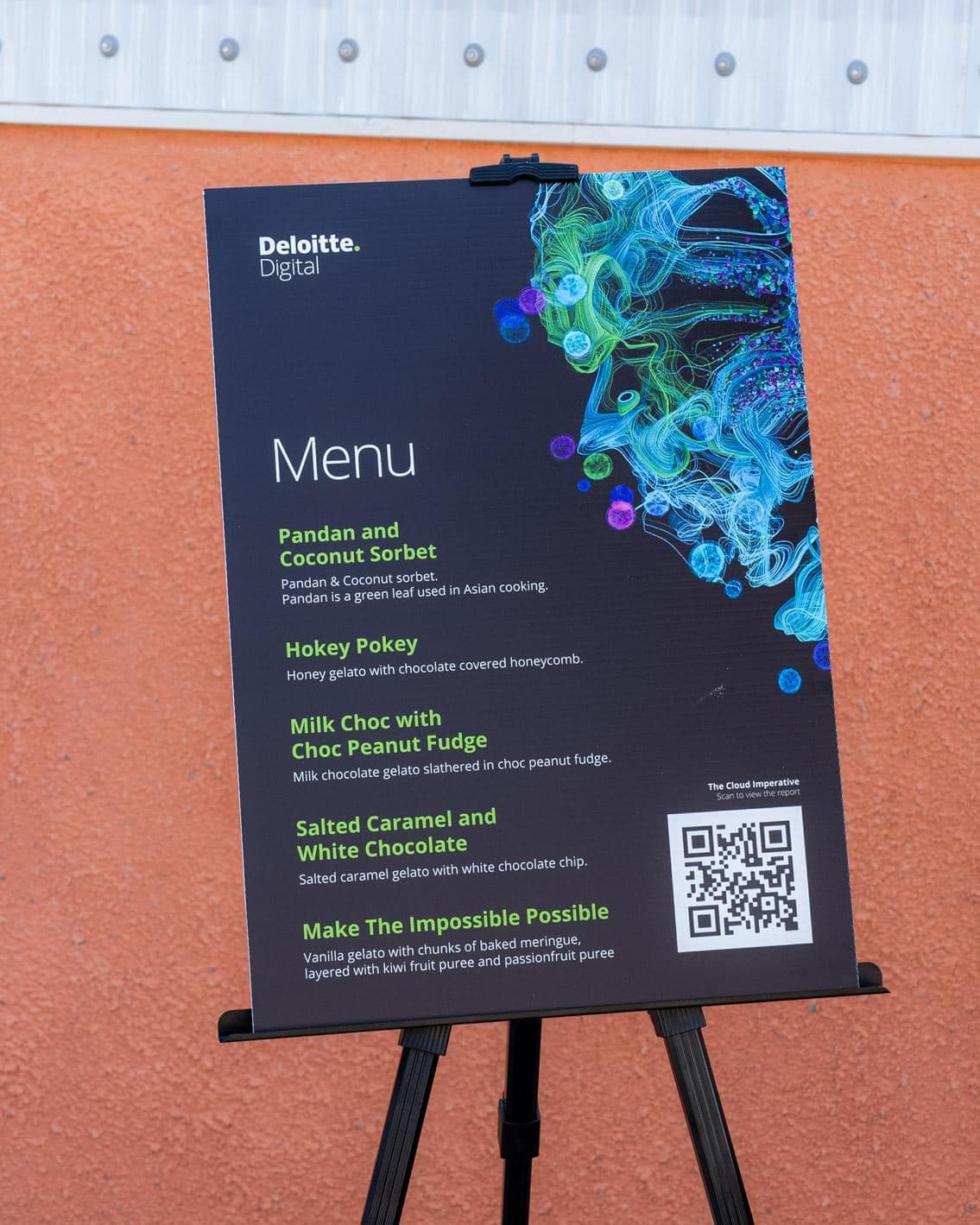
The printed A2 menu for your event, in your own design. It stands on an easel beside the setup.
On the day
Real events, real artwork, so you can see how a menu reads from the queue.
The numbers
- Printed size
- 420 × 594 mmthe size your artwork prints at
- Vector artwork
- PDF, AI or EPSstays sharp at any size, and what we would ask your designer for
- Artwork due
- 21 days outbefore your first event day, so the printer has time
How it fits
What to send
- Vector first: PDF, AI or EPS, with fonts outlined and images embedded
- Keep the flavour names big enough to read from the queue
- CMYK if your designer has it set up, otherwise send what you have and we will convert it
Start from our template
The print template is laid out at A2 with the bleed marked, so your designer starts from the exact shape.
Both files include 3 mm of bleed on every side, so run your background right to the edge.
Both files open with the same layers: a background colour, an empty layer for your design, and the knife, bleed and safe area lines, one to a layer. Hide or delete the guides before you send it.
Asked often
Can you design it for us?
Our design service is not available at launch. Please have your designer supply print-ready artwork using these specifications.
Who prints it?
We do, along with the rest of your branding. Send it through your booking page by the artwork due date above and there is nothing else to organise.
Already booked with us?
Send your artwork straight through your booking page and we will check it while you wait.